
By Your Name or Call Sign (No Login Required):
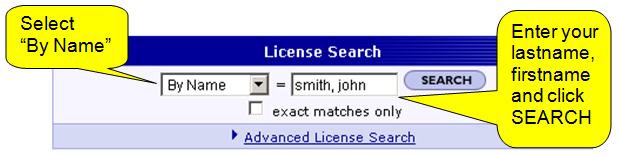
— OR —
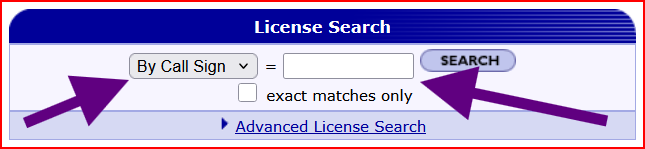
The FCC website will return a list of potential matches. Select yours from the list.
Either option will allow you to print out a reference copy of your license by clicking on the “Reference Copy” link.
If you are unable to sign into ULS, we recommend that you print out a reference copy of your license to use until you can properly sign into the ULS and are able to print out an Official copy of your license. If you already have a ULS login, skip printing the “Reference Copy” and just print the Official copy.
Using the FCC ULS License Manager (Login Required):
Sign in with your ULS credentials (FRN and Password – which should be different than your CORES sign in). From here, you can print the Official copy of your license.